A CTO's Guide to Databricks Unity Catalog Implementation
A Databricks Unity Catalog implementation replaces scattered, workspace-level permissions with one governance model across your entire data estate: a single metastore, identity-provider-driven groups, a domain-based catalog structure, and CI/CD-managed grants. Get the metastore architecture and the governance model right at the start - both are expensive to unwind once production workloads depend on them.
What metastore architecture should you choose?
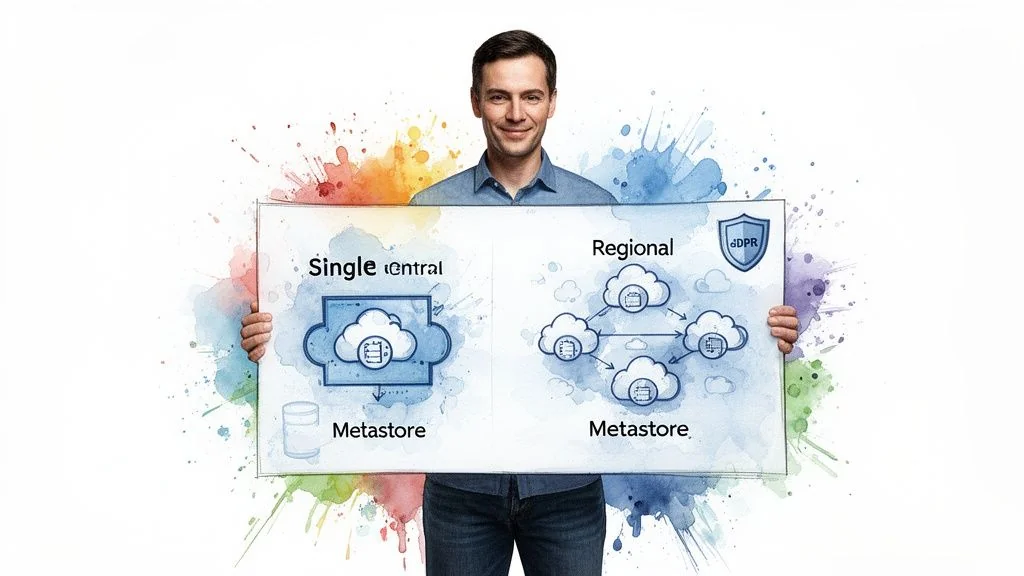
A metastore is the top-level container for your catalogs, schemas, tables, and views, so most organizations should use a single metastore per cloud account (one for AWS, one for Azure). It centralizes governance, keeps cross-workspace queries in one unified namespace, and cuts administrative overhead. Multiple metastores are only worth the added complexity when a specific constraint forces the split.
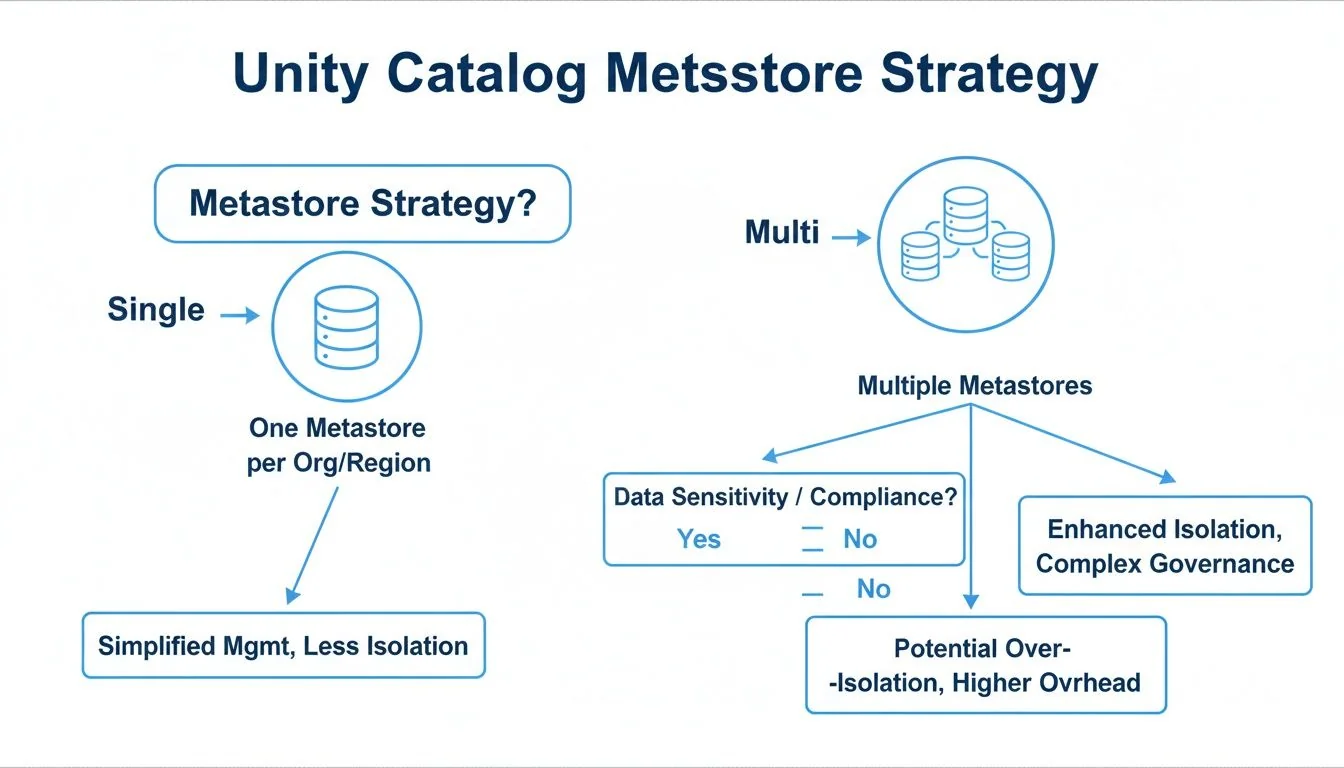
A multi-metastore approach is a tactical choice driven by specific constraints:
- Data Residency Mandates: If regulations like GDPR require both data and its metadata to remain within a geographic boundary, a separate metastore per region is mandatory.
- M&A Scenarios: Integrating an acquired company with a disparate cloud environment and governance model often warrants a separate metastore to avoid a complex and risky consolidation project.
- Strict Billing Isolation: If internal chargeback models require absolute financial separation between business units, multiple metastores provide that hard fence, though this is often achievable with tagging in a single-metastore setup.
Outside of those specific triggers, default to one metastore per cloud account.
How do single and multiple metastores compare?
Most teams should default to a single metastore per cloud account. Use this table to check whether a specific compliance, M&A, or billing-isolation requirement in your organization overrides that default before you commit to an architecture that’s expensive to reverse.
| Factor | Single Metastore (Per Cloud Account) | Multiple Metastores | Recommendation for Engineering Leaders |
|---|---|---|---|
| Governance | Centralized, simplifying cross-workspace policy enforcement and auditing. | Decentralized, requiring separate administration for each metastore. Increases complexity. | Default to a single metastore unless a strict compliance or structural requirement dictates otherwise. |
| Data Sharing | Direct. A unified namespace allows direct queries between workspaces. | Complex. Requires Delta Sharing to share data across metastore boundaries, adding overhead. | If cross-team collaboration is a priority, a single metastore provides the path of least resistance. |
| Operational Overhead | Lower. One metastore to manage, secure, and back up. | Higher. Each metastore adds administrative burden and increases the risk of configuration drift. | A single metastore lowers total cost of ownership (TCO) by reducing operational toil. |
| Compliance | Meets most standards. Can be complex for strict data residency. | Handles strict data residency and sovereignty requirements directly. | Only use multiple metastores if mandated by your legal or compliance team for specific regions. |
How should you design governance and access control in Unity Catalog?
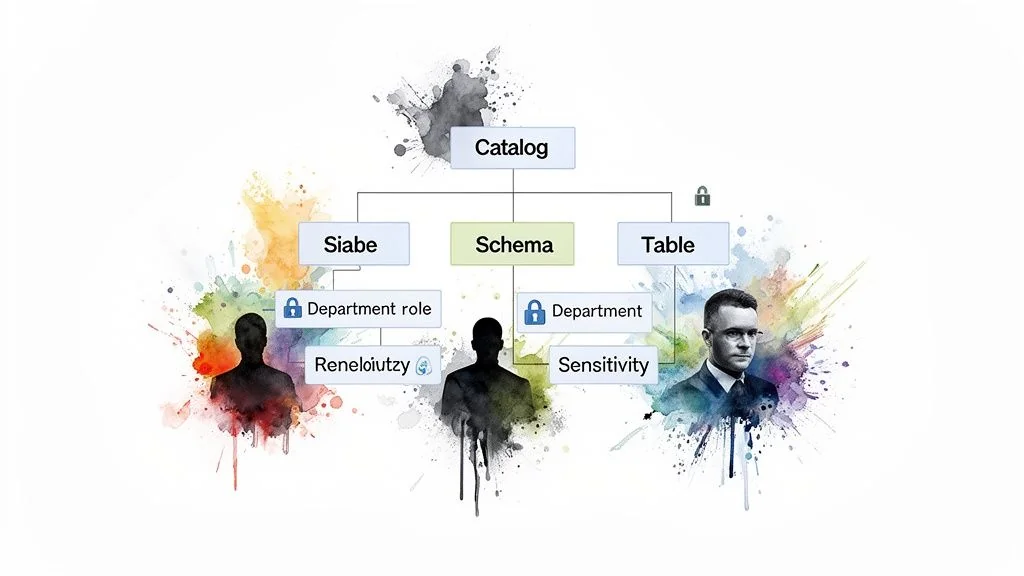
Structure catalogs around business domains, not technical teams: a marketing catalog with campaign_analytics and customer_segmentation schemas, not a marketing_team_catalog. Layer in attribute-based access control (ABAC) so permissions follow group and data attributes automatically instead of manual, one-off grants.
Domain-based catalogs stay legible as headcount and org structure change, because data ownership maps to the business function that understands the data, not to whichever team happens to own the pipeline this quarter.
Should you use attribute-based access control (ABAC)?
Static role-based access control (RBAC) doesn’t scale: every new hire, team change, or project needs a manual permission update. ABAC grants access dynamically based on user, data, and request attributes instead, so permissions update themselves when group membership changes.
By structuring access around attributes like a user’s department, project role, or data sensitivity tags, you create a self-managing system that scales governance without scaling the administrative team.
For example, a policy can grant SELECT access on any table tagged financial_reporting to any user in the Finance_Department group. When a new analyst joins finance, their identity provider (IdP) group membership grants the correct permissions automatically - no tickets, no manual GRANT statements. A fintech firm can use the same mechanism to mask PII columns for most users while giving a small, authorized compliance team full visibility.
What does a working governance framework look like?
A documented object hierarchy prevents expensive refactoring later. Four elements do most of the work: catalogs mapped to business units, schemas mapped to data domains, IdP groups mapped to functional roles, and tags that drive automated ABAC policies based on data sensitivity.
- Catalogs for Business Units: Assign top-level catalogs to major business functions like
sales,product, andfinance. - Schemas for Data Domains: Within each catalog, use schemas to group related datasets (e.g.,
sales.quarterly_forecasts,product.user_telemetry). - Groups for Functional Roles: Map your IdP groups to functional roles (
Data_Analysts_Sales,Data_Scientists_Product). - Tags for Data Sensitivity: Use tags like
PII,Confidential, orPublicon tables and columns to drive automated ABAC policies.
This layered model cuts down on the object-level permissions that are nearly impossible to audit at scale. See our guide on data governance best practices for strategies that apply beyond Unity Catalog specifically, or the broader data governance overview if this is one piece of a larger initiative.
How do you integrate identity providers with Unity Catalog?
Sync your identity provider (Azure AD, Okta, Google Workspace) to Databricks via SCIM so the user and group lifecycle - creation, updates, deactivation - happens automatically. Map IdP groups to Databricks groups and grant permissions to groups, not individuals, so IdP changes propagate without manual admin work.
Unity Catalog’s governance model only works if the principals inside it map to real people and services. That mapping happens through SCIM (System for Cross-domain Identity Management), the only method that scales past a handful of users: it makes Databricks a live mirror of your IdP, so a status or role change there updates Databricks access automatically, with no lingering permissions left behind from someone who left six months ago.
How do you set up SCIM provisioning?
Configure a SCIM connector between your IdP - Azure Active Directory, Okta, or Google Workspace - and your Databricks account. This pushes user and group identities directly into Databricks.
Your primary task is mapping existing IdP groups to Databricks groups. An IdP group named azuread-finance-analysts maps to a finance-analysts group in Databricks. You grant permissions to the Databricks group, and the IdP manages its membership - the same pattern behind modern Identity and Governance Administration (IGA).
The litmus test for a successful SCIM setup: your platform team never manually adds a user to a group in Databricks. The entire user and group lifecycle - creation, updates, and deactivation - is fully automated and driven by the IdP.
How do you manage service principals and group naming conflicts?
While user syncing is straightforward, service principals - non-human accounts for automated jobs - require deliberate management. Don’t use a single, over-privileged service principal; create dedicated service principals for distinct functions and grant them least-privilege access. A service principal for a marketing pipeline shouldn’t have access to finance data.
A common pitfall is IdP group name conflicts (e.g., multiple “Analysts” groups). Resolve this before syncing by enforcing a unique naming convention in your IdP, such as finance_analysts_us and finance_analysts_eu, so they map to distinct groups in Databricks instead of colliding.
How do you migrate from Hive Metastore to Unity Catalog?
Migrate in phases, never as a single cutover. Assess your Hive Metastore for unsupported formats and access conflicts, pilot on a lower-stakes workload, then use the SYNC command to clone tables, views, and permissions - validating data integrity, pipeline health, and query performance before you decommission Hive.
For existing Databricks users, this is the most delicate phase of implementation. A “big bang” cutover risks broken pipelines and business disruption; a phased, controlled migration is the only approach that holds up in production.
The process begins with an assessment of your current Hive Metastore. Databricks provides tools to scan your environment, flagging dependencies, unsupported table formats, and potential access control conflicts. That scan gives you a clear inventory of what to move, what to fix before moving, and the true scope of the project - a thorough assessment phase is what catches most migration blockers before they turn into production incidents.
Why pilot the migration on a lower-stakes workload first?
Select a pilot team for migration, but not your most business-critical workload. The marketing analytics team is often a good candidate: its data is typically high-volume but less operationally sensitive than finance or core product data.
The pilot is a sandbox to validate the migration process, refine automation scripts, and surface edge cases in a low-stakes environment.
The goal of the pilot isn’t speed; it’s learning. Document every step, error, and resolution. That documentation becomes your playbook for migrating the rest of the organization.
How do you validate a migration before decommissioning Hive?
The core technical tool is the SYNC command, which clones tables, views, and permissions from Hive Metastore into Unity Catalog. For external tables, SYNC is particularly useful since it registers them in Unity Catalog without moving the underlying data - though it can’t handle every complex object or non-standard configuration, so budget time for those manually.
Post-Migration Validation Checklist: After migrating a workload, validate its integrity before decommissioning the legacy Hive assets.
- Data Integrity: Run
COUNT(*)and checksums on key tables in both Hive and Unity Catalog to confirm an exact match. - Pipeline Health: Trigger dependent data pipelines and ML jobs to confirm they complete without errors.
- Permissions Audit: Use test accounts from different user groups to verify they can access required tables and are blocked from restricted ones.
- Query Performance: Execute representative user queries against the new Unity Catalog tables and compare runtimes against Hive Metastore benchmarks. Performance should match or beat the old baseline.
How do you automate Unity Catalog governance with CI/CD?
Manage every catalog, schema, and grant as Terraform code reviewed through pull requests, not through the UI. When a team requests a new schema, a merged PR provisions it with the correct permissions automatically - no support ticket, no manual GRANT statement, and a full audit trail of every change.
Managing Databricks Unity Catalog permissions through the UI doesn’t scale and adds risk. For an enterprise deployment, treating catalog configuration as code via CI/CD means every change - from creating schemas to granting permissions - is version-controlled, tested, and auditable.
Defining your catalog structure in an Infrastructure-as-Code (IaC) tool like Terraform eliminates configuration drift. Governance moves from a reactive, ticket-based process to an automated one: when a new team needs resources, the pipeline provisions catalogs, schemas, and group permissions without a platform administrator touching anything by hand.
Example: Onboarding a Project via Terraform
A data science team needs a sandbox for “Project Alpha.” A developer opens a pull request with a simple Terraform file instead of filing a support ticket.
# 1. Provision a new schema for the project
resource "databricks_schema" "project_alpha" {
  catalog_name = "analytics"
  name         = "project_alpha_sandbox"
  comment      = "Sandbox for Project Alpha data science team."
  owner        = "data_platform_admins"
}

# 2. Grant usage and creation rights to the project team's group
resource "databricks_grant" "project_alpha_usage" {
  schema = databricks_schema.project_alpha.id
  principal  = "project_alpha_ds_team"
  privileges = ["USE_SCHEMA", "CREATE_TABLE"]
}
Once the pull request is approved and merged, the CI/CD pipeline executes the plan, creating the schema with the correct permissions. This closes the gap left by ad-hoc manual changes.
The governing rule: no manual
GRANTstatements in production. All permissions for users, groups, and service principals go through version-controlled code. It’s the only way to keep the system auditable at scale.
Managed this way, Unity Catalog becomes a reliable, scalable part of your DevOps toolchain rather than a manually administered side system.
How do you optimize cost and performance after implementation?
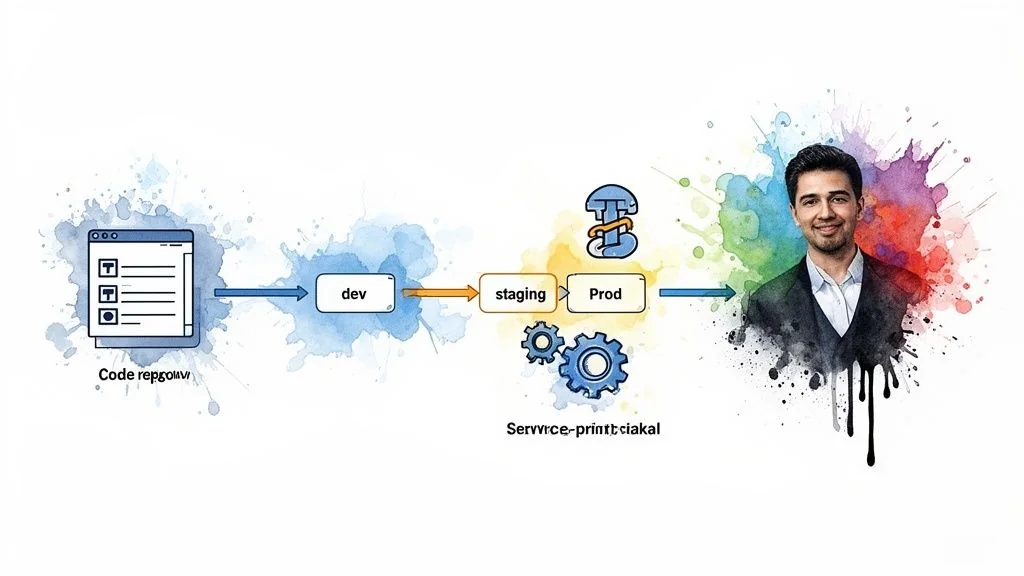
Use Databricks system tables to audit access patterns, query performance, and data lineage, then turn on Predictive Optimization (automated OPTIMIZE/VACUUM) and Liquid Clustering. Predictive Optimization compacts small files and purges stale data without manual tuning; Liquid Clustering replaces static partitioning with clustering based on actual query patterns.
Deployment isn’t the finish line. Once Unity Catalog is live, the focus shifts to cost savings and performance gains, and system tables are the primary tool for finding both - they provide a built-in audit trail of what’s being queried, how fast, and by whom.
Which automated optimization features matter most?
- Predictive Optimization: Automatically runs
OPTIMIZEandVACUUMcommands. It compacts small files that degrade query performance and purges old, unreferenced data, cutting cloud storage costs without any manual scheduling. - Liquid Clustering: Often replaces rigid, traditional partitioning. It groups data based on actual query patterns, simplifying table management and improving performance without constant manual tuning.
To keep the broader cloud bill in check, pair this with general cloud cost optimization best practices rather than treating Unity Catalog’s tools as the whole strategy.
System tables identify the operational issues; Predictive Optimization and Liquid Clustering resolve most of them automatically. For a deeper look at the table format mechanics underneath both features, see optimizing with Databricks Delta Lake.
Top Questions on Unity Catalog Implementation
These are the most frequent questions from engineering leaders planning a Unity Catalog implementation.
What is a realistic implementation timeline?
For an organization already on Databricks, a standard implementation project takes 8-12 weeks, covering metastore setup, IdP integration, governance model design, CI/CD automation, and migrating a pilot business unit. That timeline holds up against a market with real depth: 64 of the 86 firms profiled in the Data Engineering Companies Index list Databricks as a core platform, so delivery teams with hands-on experience at this exact scope of work aren’t hard to find. A greenfield Databricks deployment takes longer, since Unity Catalog setup becomes part of a larger platform build-out.
Can Unity Catalog govern data outside of Databricks?
Yes. Unity Catalog is built on open standards, supporting modern table formats like Delta Lake and Apache Iceberg - the same open formats behind a lakehouse architecture. That lets other Iceberg-compatible engines like Snowflake, BigQuery, and Trino interoperate with data governed by Unity Catalog.
The primary capability here is Lakehouse Federation, which lets Unity Catalog directly query and manage permissions on data in external databases like PostgreSQL or MySQL without ETL. This creates a single control plane over data Unity Catalog doesn’t own directly, cutting down on silos and vendor lock-in.
How does Unity Catalog support AI/ML governance?
Unity Catalog gives the machine learning lifecycle a single source of truth for data, models, and unstructured assets, so responsible-AI requirements have something concrete to point at during an audit.
- End-to-end data lineage shows precisely which data was used to train a specific model version, making audits straightforward.
- Volumes enable governance of unstructured data (images, audio, PDFs), which matters for many modern AI applications.
- ML models are treated as first-class citizens, allowing the same governance policies applied to sensitive tables to apply to models.
That integrated approach makes the entire model lifecycle auditable, so teams can scale AI without losing track of compliance requirements.
Planning a Databricks Unity Catalog implementation or a broader governance overhaul? See how Databricks consulting engagements are typically scoped, or start with our data governance overview if Unity Catalog is one piece of a larger initiative.
Researched & written by
Data-driven market researcher with 20+ years in market research and 10+ years helping software agencies and IT organizations make evidence-based decisions. Former market research analyst at Aviva Investors and Credit Suisse.
Previously: Aviva Investors · Credit Suisse · Brainhub · 100Signals
Vetted partners
Top Databricks Partners
Vetted firms whose specialty matches this article.
More in Databricks Consulting
Data Lakehouse vs Data Mesh: A 2026 Decision Guide
Choose the right architecture for your enterprise. A detailed comparison of data lakehouse vs data mesh on cost, governance, performance, and vendor selection.
Data Reliability Engineering A Guide for CTOs
Learn what Data Reliability Engineering (DRE) is, why it matters, and how to implement it. A complete guide for leaders evaluating data engineering partners.
Actionable Playbook for Snowflake to Databricks Migration
Actionable playbook for engineering leaders: Snowflake to Databricks migration. Strategies for cost, execution & AI/ML value.