10 Actionable Data Pipeline Testing Best Practices for 2026
Data pipeline testing best practices span ten layers: data quality validation, unit tests on transformations, integration tests across the full flow, schema drift checks, load testing, regression automation, lineage and impact analysis, snapshot/idempotency checks, chaos engineering, and observability built into the test suite itself. A pipeline that runs to completion isn’t the same as one that produced correct data - the failures that matter most rarely throw an error; they quietly corrupt a table that a dashboard or a model then trusts.
The ten practices below move testing beyond a pass/fail run check into something that actually verifies the data. Each section covers what the practice catches, which tools teams use for it, and concrete implementation tips you can act on this sprint.
1. What Is Data Quality Validation Testing?
Data quality validation testing checks the accuracy, completeness, consistency, and timeliness of data at defined checkpoints, before it loads into a warehouse or analytics platform. It’s the automated gatekeeper that stops “garbage in, garbage out” from reaching a dashboard. See what data quality testing entails for the underlying concept.
Catching null values in critical fields, wrong data types, or duplicate records at this stage protects everything downstream. Great Expectations, Soda, and dbt’s built-in tests are the frameworks teams reach for most. A retailer, for example, might use Great Expectations to confirm every transaction record has a valid order_id and a positive transaction_amount before it lands in Snowflake.
Actionable Implementation Tips
- Prioritize by Business Impact: Begin by defining data quality rules for the most critical data elements that directly affect key business outcomes. Do not attempt to validate everything at once.
- Layer Your Validations: Implement checks in stages: first, basic schema validation (data types, column names), then business logic checks (e.g., order status transitions), and finally, statistical anomaly detection (e.g., an unusual spike in daily sales). This layered approach provides more targeted feedback.
- Set Realistic Thresholds: Configure your tests to balance sensitivity with the risk of false positives. A rule that fails a pipeline for a single null value in a non-critical field can cause more disruption than it prevents.
- Visualize Quality Metrics: Create dashboards to track validation results, failure rates, and data quality trends over time. This provides visibility to stakeholders and helps quantify the health of your data assets. For a deeper dive, see the guide to managing data reliability across your organization.
2. How Does Unit Testing Work for Data Transformations?
Unit testing for data transformations means testing a single function or SQL model in isolation: feed it a small, controlled dataset and verify it produces the exact expected output. Isolating the logic from live databases and APIs makes tests fast, repeatable, and deterministic, so bugs surface at the cheapest possible stage.
For teams building complex transformations on Databricks or Snowflake, this isn’t optional. A Databricks team, for instance, can use pytest to validate a PySpark function that calculates customer lifetime value, checking edge cases like new customers or returns before the logic ever touches production-scale data.
Actionable Implementation Tips
- Use Framework-Specific Tooling: For SQL-based transformations, lean on
dbt testto validate assumptions directly within your models (e.g.,unique,not_null,relationships). For Python or Scala code in environments like Databricks, use standard testing libraries such aspytestorScalaTest. - Test for Edge Cases, Not Just the “Happy Path”: Your unit tests should deliberately cover scenarios like null inputs, empty data frames, duplicate records, and extreme or unexpected values. This is what separates fragile pipelines from resilient ones.
- Mock External Dependencies: To achieve true isolation, mock any calls to external systems like databases, APIs, or other microservices. This ensures your test is evaluating only the transformation logic itself, not the state of its dependencies.
- Integrate into CI/CD: Embed unit tests directly into your continuous integration (CI) pipeline. Configure your workflow to automatically run these tests on every commit and block any code from being merged if the tests fail, preventing broken logic from ever reaching production.
3. What Is Integration Testing for Data Pipelines?
Integration testing runs the complete pipeline flow, from ingestion through transformation to final output, against realistic data and real (not mocked) dependencies, to confirm every component works as a system rather than in isolation. It’s the layer that exposes issues unit tests structurally cannot see, like mismatched schemas between stages or misconfigured permissions.
A data platform team might test a Databricks medallion architecture end to end: raw data lands in a bronze zone, business rules produce a clean silver dataset, and the gold layer aggregates it for analytics. An e-commerce team might do the same across a pipeline that ingests from Shopify, Salesforce, and a custom event stream, transforms it in Snowflake, and loads the result into a BI tool.
Actionable Implementation Tips
- Mirror Production Environments: Create separate staging or QA environments that closely replicate your production configuration, including network rules, access permissions, and resource allocation. This ensures your tests are representative of real-world conditions.
- Use Realistic Data Subsets: Run integration tests against recently refreshed, anonymized subsets of production data. This approach provides a realistic test bed for data volume and complexity without compromising data privacy.
- Test Failure and Recovery: Intentionally test error scenarios to validate your pipeline’s resilience. Simulate failed API calls, network timeouts, or malformed data to ensure your error handling and recovery procedures function as expected.
- Validate Stage-by-Stage Integrity: Implement checks for row counts and checksums between key pipeline stages. A discrepancy between the source record count and the count after an ETL join can quickly pinpoint data loss or duplication issues. See how these components fit together in the guide to modern data pipeline architecture.
4. How Do You Test for Schema Drift?
Schema validation and evolution testing catches “schema drift” before it breaks a pipeline: a framework that detects when fields are added, removed, or change type, and confirms the pipeline handles that change gracefully rather than failing outright. It matters most on Snowflake and Databricks, where semi-structured sources make schemas fluid by default.
When an upstream API adds a new field or a feed changes a column from an integer to a string, schema tests act as an early warning system rather than a production incident. dbt model contracts, Confluent Schema Registry, and Great Expectations are the common tools here. A marketing team ingesting ad platform data, for example, can use automated schema tests to flag a new metric column and confirm it’s mapped correctly before it causes mismatches downstream.
Actionable Implementation Tips
- Implement Automated Schema Inference: For sources like JSON or Parquet, use tools that can automatically infer the schema and compare it against a known-good version. This immediately flags any new, missing, or altered fields.
- Establish a Schema Registry: Create a centralized, version-controlled repository for your data schemas (e.g., using Apache Avro or Databricks Unity Catalog). This registry becomes the “source of truth” for what data structures your pipeline expects.
- Test for Breaking Changes: Configure your CI/CD pipeline to explicitly test for breaking schema changes. If a pull request modifies a data model in a way that removes a column or changes a data type, the build should fail, forcing a deliberate review and migration plan.
- Document and Version Schema Migrations: For any intentional, major schema change, document the migration procedure and assign a version number. This practice, borrowed from software engineering, brings discipline to data model evolution and simplifies rollbacks if needed.
5. How Do You Load-Test a Data Pipeline?
Performance and load testing simulates real data volumes, frequencies, and concurrent processing scenarios to confirm a pipeline still meets its SLAs under pressure, not just on a quiet day with sample data. It checks execution time, resource use, and whether peak demand turns quality checks into bottlenecks.
Apache JMeter, Locust, and native cloud benchmarking services are the usual tools. A retailer can stress-test its e-commerce pipelines before Black Friday to confirm they hold up under a traffic spike an order of magnitude above normal; a financial institution can validate that daily risk calculations finish inside a strict regulatory window.
Actionable Implementation Tips
- Test with Production-Like Configurations: Use cluster sizes and configurations that mirror your production environment. Testing on underpowered infrastructure will yield misleading results and mask potential scalability issues.
- Simulate Concurrency: Don’t just test one pipeline in isolation. Run multiple pipelines concurrently to simulate a real-world scheduler’s workload and uncover resource contention problems (CPU, memory, I/O).
- Isolate and Stress Transformations: Identify the most computationally expensive or slowest transformations in your pipeline. Create specific tests that hammer these specific steps with large data volumes to find their breaking points.
- Monitor and Document Key Metrics: Track execution time, memory and CPU usage, and cloud costs during tests. This data is essential for making informed decisions about cluster sizing, auto-scaling policies, and performance tuning.
- Test Failure Recovery Under Load: An often overlooked step is verifying how the system recovers from a failure while under heavy load. Confirm the pipeline can fail gracefully and resume without data loss or corruption. For methodology, see this guide to load performance testing.
6. What Is Regression Testing Automation for Pipelines?
Regression testing automation re-runs a suite of tests on every code change, infrastructure update, or schema migration to verify nothing that previously worked just broke. It’s what lets a team move fast without every deploy being a gamble on downstream dashboards.
A data team using dbt can configure CI/CD to run a full test suite on every model change before deployment. Changes to an Apache Airflow DAG can similarly be checked against historical test cases to confirm processing logic still behaves the same way.
Actionable Implementation Tips
- Start with High-Impact Scenarios: Don’t attempt to build a complete regression suite from day one. Begin by creating automated tests for the most critical pipeline paths and for every bug discovered in production. This ensures your most valuable data flows are protected first.
- Integrate with CI/CD: Embed your regression test suite directly into your continuous integration and continuous deployment pipeline. Use version control branching strategies, like feature branches, and configure your system to automatically block deployments when a regression test fails.
- Maintain High-Quality Test Data: Your regression tests are only as good as the data they run on. Maintain a stable, versioned set of test data that covers key business scenarios, edge cases, and historical anomalies, not just simple technical validations.
- Monitor Test Performance and Flakiness: A flaky test, one that passes and fails intermittently without any code changes, can erode trust in your test suite. Actively monitor test execution times and failure rates, and immediately investigate the root cause of any instability to keep the process reliable.
7. How Does Data Lineage Testing Work?
Data lineage and impact analysis testing verifies the accuracy of a pipeline’s dependency map: documenting and validating the path data takes from source to consumption, and confirming which transformations depend on which tables and columns. In enterprise pipelines, this is what makes it possible to scope tests and plan safe deployments instead of guessing at blast radius.
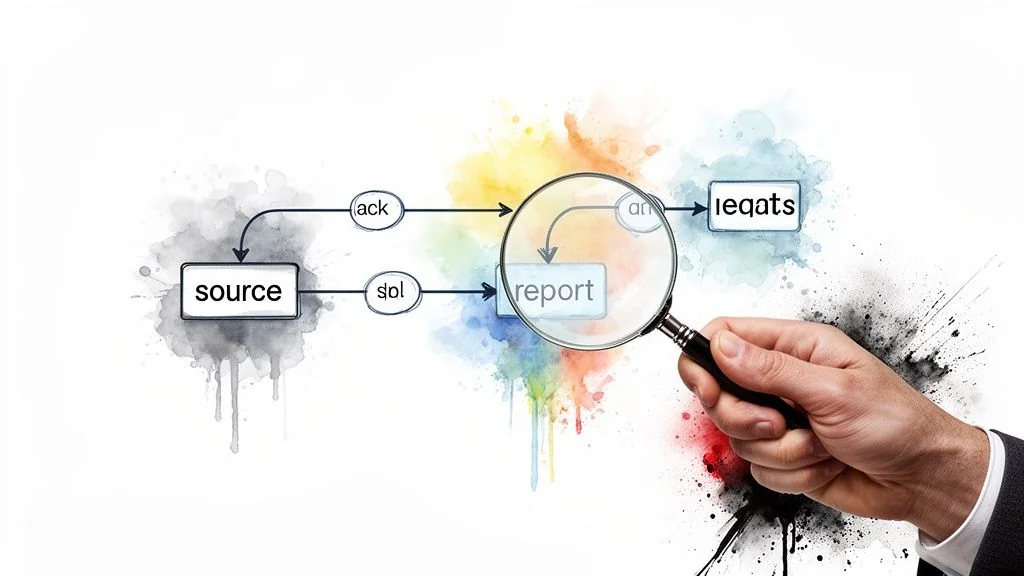
Before deploying a change, the lineage graph shows exactly which downstream models, dashboards, and reports it will touch. A financial services platform, for instance, needs to trace lineage from source transaction systems through risk calculations to final regulatory reports to prove data integrity. dbt’s native graph visualization and governance platforms like Atlan or Collibra automate the discovery and mapping of these relationships at scale.
Actionable Implementation Tips
- Start with Automated Lineage Capture: Use the built-in lineage features of your tools. dbt’s graph visualization, Databricks Unity Catalog, and Snowflake’s access history provide immediate dependency insights with minimal manual effort.
- Integrate Lineage into Code Reviews: Make it a standard practice for developers to review the dbt graph or lineage diagram as part of every pull request. This helps catch unintended dependencies or circular references before they are merged.
- Use Lineage for Targeted Testing: When a source table or an upstream model changes, use the lineage graph to define the exact scope of your integration and regression tests. This focuses testing effort where it’s most needed and accelerates release cycles.
- Maintain a Data Dictionary: Supplement automated lineage with business context. A data dictionary should document not just the technical path but also the business purpose of transformations, providing a complete picture for auditors and new team members.
8. What Is Snapshot Testing and Idempotency Validation?
Snapshot testing and idempotency validation confirm two things: that running a pipeline twice on the same input produces identical results (idempotency), and that unintended changes to complex logic get caught by comparing new output against a stored “snapshot” of a known-good result. It’s a check unit and quality tests don’t cover on their own - whether output stays consistent over time.
A snapshot captures an expected state, like a final report or an ML feature set, and flags any deviation on later runs, which matters most where a small logic change has large downstream consequences. dbt’s snapshot macro, built for tracking slowly changing dimensions, popularized the pattern for dimensional data.
Actionable Implementation Tips
- Focus on Critical Outputs: Don’t snapshot everything. Start by capturing snapshots for high-impact transformation outputs like key business metric tables, final aggregated reports, or feature tables used in production ML models.
- Implement Hash-Based Comparisons: For very large datasets, storing and comparing full snapshots is inefficient. Instead, generate a hash (e.g., MD5) of the output data and compare the hash values. A change in the hash indicates a change in the data.
- Exclude Non-Deterministic Fields: Your comparisons will consistently fail if you include fields that naturally change on every run, such as
last_updated_timestampor randomly generated IDs. Exclude these columns from your snapshot comparisons to avoid false positives. - Version Your Snapshots: Treat your snapshots like code. Store them in version control (like Git) alongside your pipeline code. When an intentional change is made, update the snapshot and commit it as part of the same release, creating a clear audit trail.
- Establish a Review Process: Create a workflow for reviewing and approving snapshot changes. When a test fails, a developer or data analyst must determine if the change was intentional (a valid logic update) or a bug. If intentional, the new snapshot is approved and becomes the new baseline.
9. What Is Chaos Engineering for Data Pipelines?
Chaos engineering intentionally injects failures into pipeline infrastructure - API timeouts, resource constraints, sudden data inconsistencies - to see how error handling, retry logic, and recovery mechanisms actually behave, rather than assuming they work. In a distributed pipeline, some component will eventually fail; this is how you find out before it does.

Popularized by Site Reliability Engineering and tools like Chaos Monkey, the practice hardens systems against partial outages. An e-commerce platform could simulate a third-party shipping API failure to confirm its pipeline reroutes orders to a backup provider instead of losing them. A data team could simulate a cluster node failure to verify jobs reschedule automatically and data integrity holds after recovery.
Actionable Implementation Tips
- Start in Pre-Production: Never begin chaos testing in a live production environment. Isolate your experiments to staging or development environments to understand the impact without affecting real users or business operations.
- Document Failure Scenarios: Before injecting any failures, clearly define the expected behavior. What should happen when a database connection drops? How should the system recover? This documentation becomes your test case.
- Establish a Baseline with Monitoring: Implement comprehensive monitoring and alerting before starting chaos tests. You need clear visibility into the system’s steady state to accurately measure the impact of an injected failure and confirm that alerts trigger as expected.
- Validate Recovery and Consistency: The test doesn’t end when the system comes back online. The final step is confirming all data is consistent and complete after recovery, with no records dropped or corrupted.
- Schedule Regular Chaos Days: Treat resilience testing as a recurring event, not a one-time check. Schedule regular “chaos days” or automated experiments quarterly to continuously validate that new code changes or infrastructure updates haven’t introduced new weaknesses.
10. What Is Observability and Test-Driven Monitoring?
Observability and test-driven monitoring writes tests for your monitoring itself - confirming the metrics, logs, and traces you’re capturing are actually the ones you’ll need to diagnose a failure fast. It shifts the pipeline from reactive firefighting to proactive detection by treating observability as code rather than an afterthought bolted on post-incident.
A data platform team might monitor pipeline execution duration and alert when a job runs meaningfully longer than its historical baseline. A transformation team might track row-count metrics at each stage of a dbt project, using anomaly detection to flag drops or spikes that signal data loss or duplication. See what data observability is for the underlying concept.
Actionable Implementation Tips
- Define Baselines and Test Thresholds: Establish baseline performance metrics (e.g., execution time, CPU usage, data volume) for every pipeline under normal conditions. Implement tests that confirm alerts trigger at appropriate thresholds (e.g., a Z-score above 3) without generating excessive false positives.
- Implement Structured Logging: Enforce a structured logging format (like JSON) with consistent field names across all pipeline components. This makes logs easily queryable and allows you to write tests that validate specific events are being logged correctly during pipeline execution.
- Use Distributed Tracing: In multi-component or microservices-based pipelines, implement distributed tracing using standards like OpenTelemetry. This allows you to trace a single data record’s journey across various systems, which is invaluable for pinpointing bottlenecks or failure points.
- Link Alerts to Runbooks: Create clear, actionable runbooks that detail the steps for resolving specific alerts. Associate each alert directly with its corresponding runbook to reduce mean time to resolution (MTTR) and ensure a consistent response from the on-call team.
10-Point Comparison of Data Pipeline Testing Best Practices
| Practice | Implementation complexity | Resource requirements | Expected outcomes | Ideal use cases | Key advantages |
|---|---|---|---|---|---|
| Data Quality Validation Testing | Moderate-high: define/rule across stages | Validation frameworks, compute, monitoring | Prevents bad data, earlier error detection | Production pipelines, BI, regulated domains | Reduces downstream debugging, enforces SLAs |
| Unit Testing for Data Transformations | Low-moderate: per-transformation tests | Test frameworks, dev time, test fixtures | Correct transformation logic, fast feedback | dbt/Snowflake/Databricks development | Fast feedback, safe refactoring, CI support |
| Integration Testing for Pipeline End-to-End Flows | High: full-path execution and orchestration | Staging env, production-like data, time | Validates handoffs, uncovers integration faults | Complex multi-component pipelines, vendor evaluation | Catches issues missed by unit tests, verifies lineage |
| Schema Validation and Evolution Testing | Moderate: schema capture and drift rules | Metadata store, schema registry, tooling | Detects schema drift, prevents structural breaks | Semi-structured data, evolving APIs, IoT feeds | Enables graceful evolution, improves governance |
| Performance and Load Testing for Pipelines | High: stress and sustained load scenarios | Production-scale infra, load generators, monitoring | Ensures scalability, identifies bottlenecks | Peak traffic events, SLA-critical jobs | Informs capacity planning, uncovers performance limits |
| Regression Testing Automation | Moderate-high: maintain comprehensive suites | CI/CD, baseline datasets, test maintenance | Prevents regressions, supports rapid deployments | Frequent releases, mature engineering teams | Blocks unintended changes, documents expected behavior |
| Data Lineage and Impact Analysis Testing | Moderate: capture and validate metadata | Lineage tools, metadata capture, catalogs | Maps dependencies, enables targeted testing | Large enterprise pipelines, change management | Enables impact analysis, reduces blind deployments |
| Snapshot Testing and Idempotency Validation | Moderate: capture and compare outputs | Snapshot storage, diff tools, hashing | Detects subtle output changes, ensures idempotency | SCDs, reporting outputs, ML feature pipelines | High confidence in outputs, catches subtle regressions |
| Chaos Engineering and Resilience Testing | High: controlled failure injection practice | Failure injection tools, monitoring, safe envs | Validates recovery, exposes hidden failure modes | Mission-critical systems, resilience maturity programs | Reveals single points of failure, improves recovery |
| Observability and Test-Driven Monitoring | Moderate: monitoring-as-code and tests | Observability stack, dashboards, alerts | Faster detection and diagnosis, continuous metrics | Production monitoring, SRE/DataOps practices | Proactive detection, reduces time-to-diagnosis and MTTD |
How Do You Operationalize a Testing Strategy?
The ten practices above share one thread: treating data pipelines as software assets that need the same engineering discipline as application code. Getting from inconsistent, manual validation to a mature automated suite takes months, not a sprint - the goal is a culture where data developers own the reliability of what they ship, not a checklist run once before launch.
The Core Principles
- Automate Everything: Manual testing is a bottleneck and a point of failure. Aim for a setup where every code commit triggers unit tests, then regression tests against production-like data, all inside CI/CD - no one has to remember to run anything.
- Test Data, Not Just Code: A pipeline can execute flawlessly and still produce garbage data. Data quality validation, schema checks, and snapshot testing confirm the pipeline produces correct output, not just that it ran.
- Shift Left and Shift Right: Testing isn’t one gate before deployment. Shifting left means unit and data quality tests during development; shifting right means observability, monitoring, and chaos engineering that keep validating pipeline health after it’s live.
- Implement Progressively: Skip the big-bang rollout. Most teams start with basic data quality checks (
dbt tests, Great Expectations) and unit tests on the most complex business logic, then layer in integration, performance, and regression testing as the team and platform mature. 20 of the 86 firms profiled in the Data Engineering Companies Index name dbt in their stack - a reasonable signal that dbt-native testing is the default starting point for most teams, not a niche choice.
Key takeaway: the cost of skipping this isn’t hypothetical - it shows up as broken dashboards, eroded stakeholder trust, and decisions made on bad data. Every incident a test suite catches before production is one less fire to fight after.
A Path Forward
- Start Small: Pick one critical pipeline. Add automated data quality checks at key stages and unit tests for its most complex transformation. Wire both into CI/CD and track the effect on stability and developer confidence.
- Standardize and Scale: Turn the pilot into templates other teams can reuse. Document the patterns rather than leaving them tribal knowledge.
- Measure and Improve: Track Mean Time to Detection for data bugs, the share of pipelines with automated coverage, and production incident counts. Use those numbers to justify the next round of investment.
Related reading: how to evaluate a data engineering partner, how to monitor pipelines in production, and the broader practice of data reliability engineering.
Researched & written by
Data-driven market researcher with 20+ years in market research and 10+ years helping software agencies and IT organizations make evidence-based decisions. Former market research analyst at Aviva Investors and Credit Suisse.
Previously: Aviva Investors · Credit Suisse · Brainhub · 100Signals
Vetted partners
Top Data Pipeline Partners
Vetted firms whose specialty matches this article.
More in Data Pipeline Architecture
A Leader's Guide to Apache Spark Optimization: Moving Beyond Quick Fixes
A practical framework for Apache Spark optimization: diagnosing the real bottleneck, tuning shuffle partitions and executor sizing, and choosing code fixes that cut runtime and cloud cost.
Data Contracts in Data Engineering: A Guide for Engineering Leaders
Explore data contracts in data engineering to enforce agreements, prevent pipeline failures, and boost data reliability across Snowflake and Databricks.
Data Pipeline Cost Estimation Guide 2026
How much does a data pipeline cost to build and run? Complete breakdown by pipeline type, cloud platform, team model, and project scope - with rate benchmarks from 86 verified data engineering firms.