BigQuery vs Snowflake: An Engineering Leader's Decision Framework
Snowflake and BigQuery split on one axis: dedicated, isolated compute versus serverless, shared compute. Snowflake gives you virtual warehouses you size and isolate per team, which is why high-concurrency BI shops default to it. BigQuery has no warehouses to configure at all - it auto-scales against a shared pool, which is why ad-hoc analytics and ML teams standardized on GCP default to it.
The deciding question is whether you need the granular control and performance isolation of dedicated compute clusters, or whether the hands-off, auto-scaling nature of a serverless model fits your team and workload better.
Which Platform Should You Choose: Snowflake or BigQuery?
Choose Snowflake if your priority is predictable, high-concurrency BI and you need multi-cloud flexibility. Choose BigQuery if your workloads are ad-hoc, ML-heavy, or event-driven and your organization already runs on GCP. The decision affects total cost of ownership, operational load, and how much infrastructure your data team ends up managing day to day.
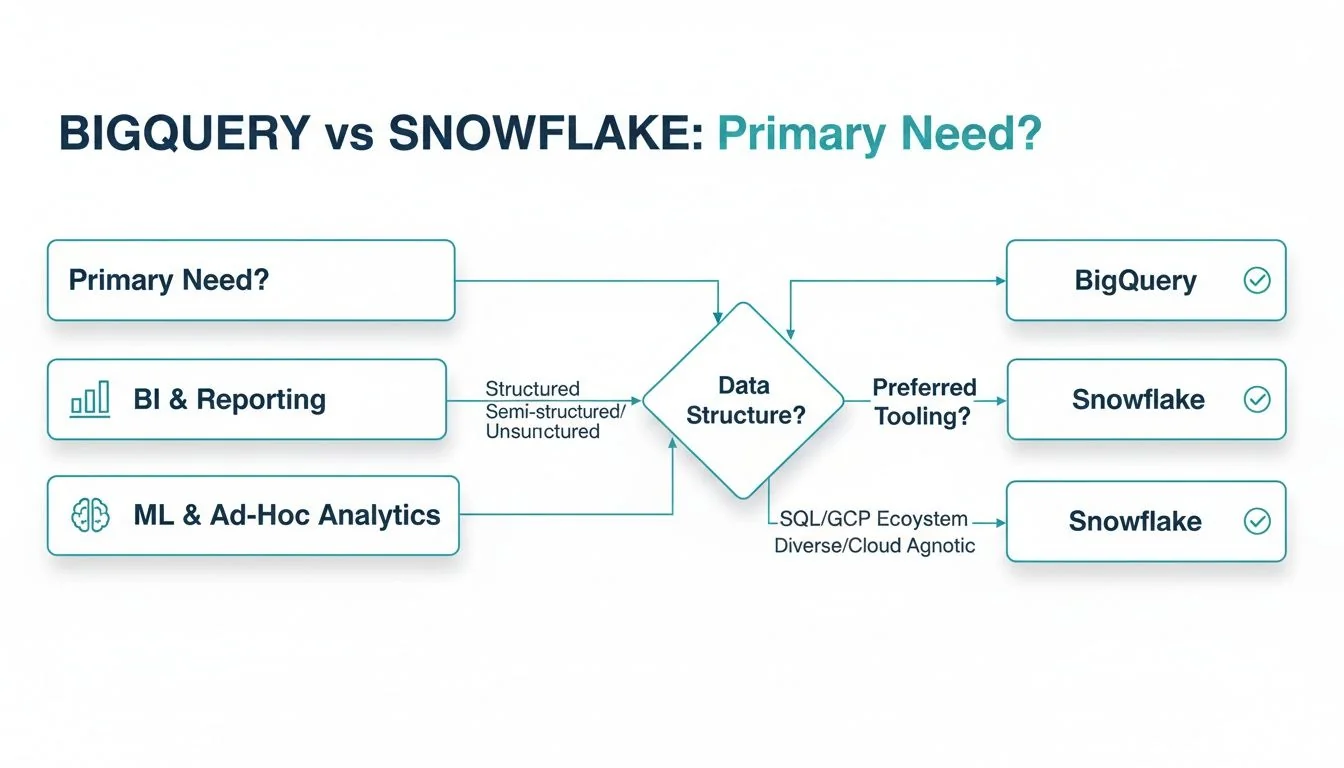
The matrix below maps specific organizational priorities to the platform that best serves them.
Executive Decision Matrix: BigQuery vs Snowflake
| Decision Factor | Choose Snowflake If… | Choose BigQuery If… |
|---|---|---|
| Primary Cloud Strategy | You operate in a multi-cloud (AWS, Azure, GCP) or hybrid environment and require a platform that avoids vendor lock-in. | Your organization is standardized on Google Cloud Platform (GCP) and you require deep, native integration with its services (e.g., Vertex AI, Looker). |
| Key Workload | Your focus is high-concurrency enterprise BI and reporting, requiring consistent and predictable query performance for hundreds or thousands of users. | Your workloads are ad-hoc, exploratory, or ML-centric, benefiting from serverless auto-scaling and zero infrastructure management. |
| Cost Management Model | You prefer predictable costs tied to performance, using dedicated virtual warehouses that can be controlled and monitored for specific budgets. | You favor a pay-per-query model for unpredictable workloads or require a fixed-cost option with flat-rate pricing for predictable high volume. |
| Team Expertise & Ops | Your data engineering team is skilled in infrastructure management and requires fine-grained control over compute resources for performance tuning. | Your team’s priority is to eliminate infrastructure management to focus purely on analytics and data science outcomes. |
How Do BigQuery and Snowflake Architectures Differ?
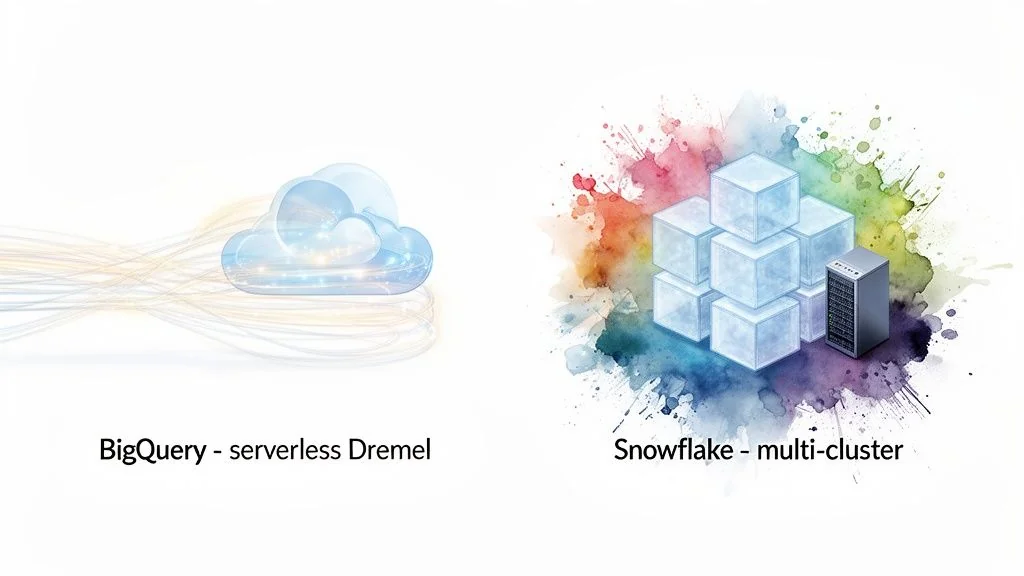
Snowflake decouples storage from compute into virtual warehouses you provision and isolate per team. BigQuery is serverless and multi-tenant, pulling compute from a shared pool with no warehouses to manage. That single difference drives nearly every downstream tradeoff in performance, cost, and day-to-day operations.
With Snowflake, you provision virtual warehouses for specific teams or workloads, and that isolation matters: a heavy data science query on one warehouse won’t slow down an executive dashboard running on another. BigQuery is built on Google’s internal Dremel technology - you write a query, and BigQuery allocates compute from its massive shared pool, with nothing to size or tune beforehand.
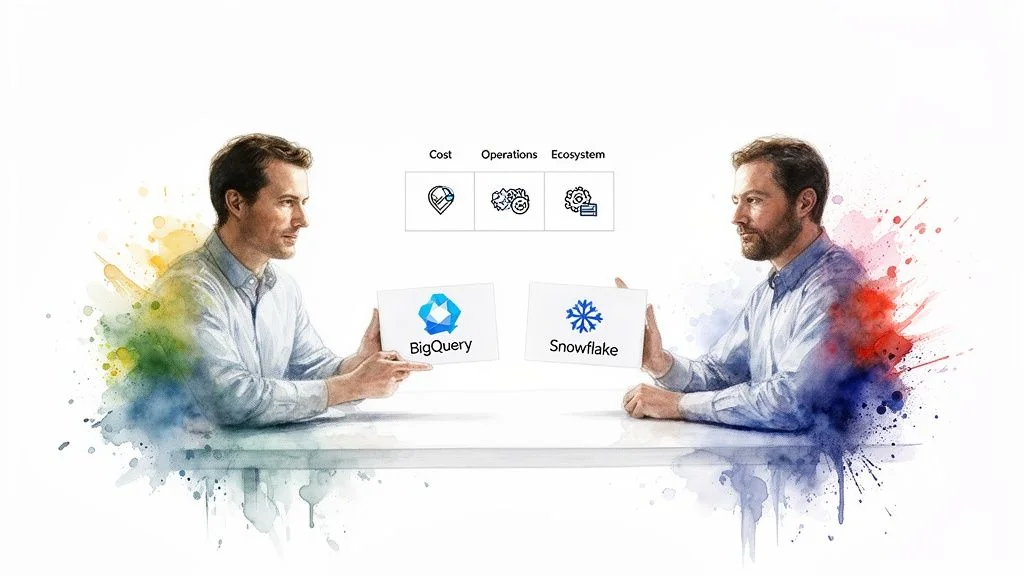
Which Platform Handles Concurrency Better?
Snowflake’s dedicated virtual warehouses deliver more predictable performance under high concurrency, since workloads don’t compete for the same resources. BigQuery handles bursty, unpredictable workloads well through auto-scaling, but shared-pool performance can fluctuate under extreme system-wide load.
For thousands of concurrent users hitting dashboards, Snowflake’s isolation is a real advantage - response times stay consistent because nobody else’s query is stealing your warehouse’s compute. Data science and ad-hoc teams benefit more from BigQuery’s model: no provisioning, no idle-warehouse cost, and scaling that just happens.
Regardless of platform, a solid grasp of data warehouse architecture is worth the time before you commit to either one. For BigQuery specifically, schema design is the single biggest lever on cost and performance under on-demand pricing - partition and cluster tables before you scale usage, not after.
Which Platform Costs Less: BigQuery or Snowflake?
Neither platform is cheaper in the abstract - it depends entirely on workload shape. Snowflake bills compute on a credit-based system, separate from storage. BigQuery offers on-demand pricing (pay per terabyte scanned) or flat-rate pricing where you reserve compute capacity (“slots”). The two scenarios below show how that plays out.
How Do the Costs Play Out in Real Workloads?
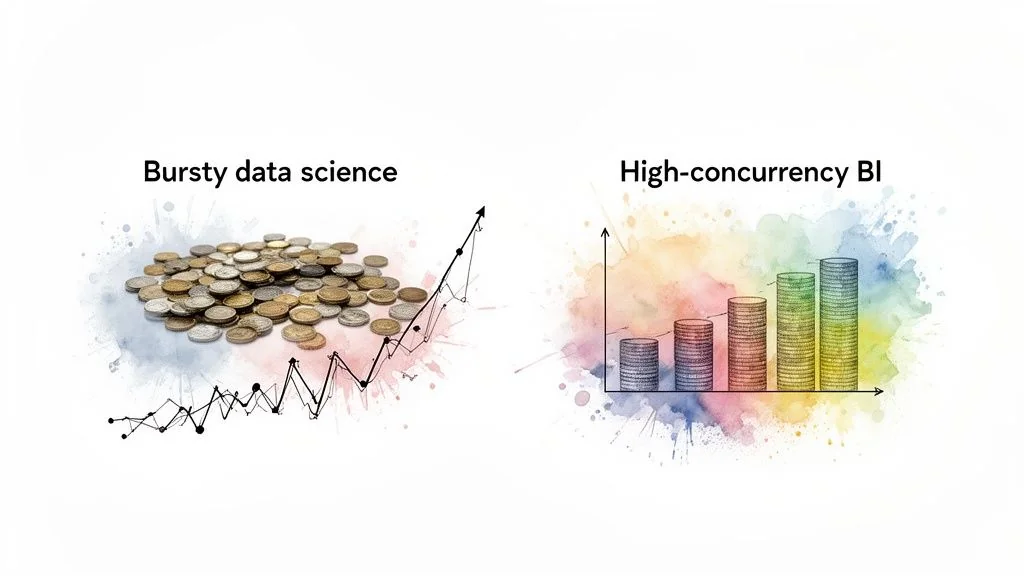
Scenario 1: Bursty Ad-Hoc Analytics
- Workload Profile: A data science team runs a handful of complex, exploratory queries daily, scanning multiple terabytes in short, intense bursts.
- Why BigQuery Wins Here: On-demand pricing mirrors this pattern directly - you pay only for queries executed, with no cost for idle compute.
- The Snowflake Challenge: Covering peak demand means provisioning a warehouse that sits idle most of the day. Automating suspend/resume cuts the waste but adds operational work.
Cost modeling generally favors BigQuery’s on-demand pricing for this kind of bursty, intermittent workload over a continuously running Snowflake warehouse - the exact gap depends on your query volume and how tightly you tune warehouse sizing.
Scenario 2: Consistent Enterprise BI
- Workload Profile: A large organization with thousands of users hitting BI dashboards around the clock, refreshed constantly by hundreds of concurrent queries.
- Why Snowflake Wins Here: A properly sized virtual warehouse gives you a fixed hourly rate for a known quantity of compute - predictable cost for a stable, high-volume workload.
- The BigQuery Challenge: On-demand pricing gets expensive fast at this query volume. Flat-rate slots solve it, but the entry-level commitment requires real capacity planning.
Snowflake also requires active cost management once it’s running - see our breakdown of Snowflake cost optimization for the specific levers. BigQuery’s main hidden costs are data egress fees for moving data outside GCP and the size of the commitment required to qualify for flat-rate pricing.
Which Platform Avoids Vendor Lock-In?
Snowflake avoids lock-in by running natively across AWS, Azure, and GCP. BigQuery trades that flexibility for deep, native integration within the Google Cloud ecosystem. Which one wins depends on whether your organization prioritizes cloud portability or a tightly integrated single-vendor stack.
Of the 86 firms profiled in the Data Engineering Companies Index, 66 list Snowflake and 56 list Google Cloud (GCP) among their platforms - both ecosystems have deep bench strength among implementation partners, which matters once you’re past the proof-of-concept stage.
Multi-Cloud Flexibility vs. GCP-Native Efficiency
- Snowflake: Its partner network is extensive and cloud-agnostic, with mature integrations into BI tools like Tableau and Power BI regardless of underlying cloud.
- BigQuery: Native integration with Vertex AI, Looker, and Google Cloud Storage creates a low-friction environment for teams already committed to GCP - hard to replicate if you’re not.
Your existing cloud strategy and tolerance for vendor dependency decide this one. An enterprise running multi-cloud will value Snowflake’s flexibility; a GCP-centric organization will get more out of BigQuery’s native integrations. If you’re weighing a migration or a new build on either platform, our directories for Snowflake consulting and GCP data engineering firms cover both paths.
Which Platform Has Better Governance and Security?
Snowflake ships governance features built directly into the warehouse - role-based access, column-level security, and dynamic data masking. BigQuery relies on Google Cloud’s broader IAM framework plus services like VPC Service Controls and Dataplex. Both reach enterprise-grade security; they just get there through different architectures.
Snowflake’s built-in tools include:
- Role-Based Access Control (RBAC): A permission hierarchy built for managing large, complex teams.
- Column-Level Security: Restrict access to specific columns, useful for keeping PII out of analyst view.
- Dynamic Data Masking: Redacts sensitive data on the fly by user role, without maintaining separate masked copies.
For many teams, these self-contained features are faster to stand up than assembling equivalent controls elsewhere.
Implementation and Ecosystem Differences
BigQuery anchors security in Google Cloud IAM - one consistent permission model across every GCP service, which is a real advantage if your organization already runs on GCP. It reaches comparable governance through:
- VPC Service Controls: A secure perimeter around projects that prevents data exfiltration.
- Google Cloud Dataplex: Centralizes data discovery, metadata management, and policy enforcement across BigQuery, Cloud Storage, and other GCP sources.
The practical difference is deployment model: Snowflake’s governance toolkit is self-contained and often faster to configure. BigQuery draws on the wider GCP ecosystem, which is powerful but means configuring multiple services to match what Snowflake gives you natively.
Frequently Asked Questions
Is Snowflake Always More Expensive Than BigQuery?
No. Total cost of ownership depends entirely on your workloads. Snowflake tends to win on predictable, high-concurrency BI, where a well-tuned virtual warehouse serves many users at a fixed cost. BigQuery tends to win on sporadic, heavy ad-hoc queries, where you only pay for data scanned at query time.
A dashboard refreshing every five minutes for thousands of users will usually run cheaper on a correctly sized Snowflake warehouse than on thousands of individual BigQuery scans.
How Difficult Is It to Migrate Between Platforms?
Migrating between BigQuery and Snowflake is a real engineering project, not a lift-and-shift. Both use ANSI SQL as a base, but proprietary functions and syntax mean existing queries need manual translation. Code built on platform-specific features - Snowflake Streams, BigQuery ML - needs to be re-architected, not just ported. Data egress fees for moving large volumes out of a cloud provider also need to be budgeted in.
Given that complexity, most teams bring in a specialist partner to manage the migration rather than absorb the risk in-house.
Which Platform Is Better for Real-Time Analytics?
BigQuery has the edge for true real-time use cases. It was built for streaming ingestion from the start, with a native streaming API that makes data queryable at low latency without micro-batching. Snowflake’s Snowpipe and Dynamic Tables get you near-real-time performance, but BigQuery’s serverless streaming path is more direct.
Next Steps: Platform Selection and Implementation
Use this checklist to make the call:
-
Workloads and Concurrency:
- Lean Snowflake if: Your primary use case is enterprise BI with high concurrency, needing predictable performance and strict workload isolation.
- Lean BigQuery if: Your workloads are unpredictable, event-driven, or ML-heavy, where serverless auto-scaling is a real operational advantage.
-
Cloud Strategy and Cost Model:
- Lean Snowflake if: You’re running multi-cloud and need to avoid lock-in, with a financial model that favors predictable costs tied to compute.
- Lean BigQuery if: You’re GCP-native and the pay-per-query model fits sporadic, large-scale workloads better than reserved capacity.
Picking the platform is the easy part. A qualified implementation partner earns their fee by validating your architecture up front, modeling costs against your actual query patterns, and building governance in from day one - the rework that comes from skipping these steps is what actually blows up migration budgets. Browse our Snowflake consulting or GCP data engineering directories to shortlist firms with relevant platform experience, or start with the fundamentals in our data warehouse vs. data lake guide if the architecture decision itself is still open.
- Part of our guide: GCP Data Engineering →
- Part of our guide: Snowflake Consulting →

Researched & written by
Peter Korpak , Chief Analyst & Founder
Data-driven market researcher with 20+ years in market research and 10+ years helping software agencies and IT organizations make evidence-based decisions. Former market research analyst at Aviva Investors and Credit Suisse.
Previously: Aviva Investors · Credit Suisse · Brainhub · 100Signals
- Simform500 people · unverified
Consider Simform when application development and cloud data infrastructure need to be delivered together across AWS, Azure, GCP, Databricks, and Snowflake. Confirm workstream ownership.
Listed, not reviewed - Accenture779000 people · unverified
Large enterprises running multi-cloud transformations across AWS, Azure, and GCP simultaneously, where a single integrator needs to own the full program.
Listed, not reviewed - Aimpoint DigitalNot verified
Consider Aimpoint for programs using Snowflake, Databricks, and dbt. It lists credentials for all three; ask for relevant references and the names of the proposed consultants.
Reviewed
More in GCP Data Engineering
BigQuery Consulting Services: 8 Firms Compared for 2026
Compare 8 GCP-capable data firms offering BigQuery consulting by scope, platform focus, and fit - plus how to verify certified BigQuery expertise.
Actionable Playbook for Snowflake to Databricks Migration
Snowflake to Databricks migration guide for engineering leaders: cost and readiness modeling, workload translation, phasing, validation, and partner selection.
Redshift vs BigQuery: The 2026 Enterprise Decision Guide
Redshift vs BigQuery for enterprise teams: architecture, cost, performance, and consultancy fit compared, with a decision matrix and RFP checklist.