A Leader's Guide to Apache Spark Optimization: Moving Beyond Quick Fixes
When a Spark job slows to a crawl, the immediate reaction is to tweak code or throw more money at the cluster. This is a losing battle. A sluggish job isn’t a one-off bug; it’s a warning sign of architectural debt that is silently inflating your cloud bill and making your data platform fragile.
This is particularly true on powerful platforms like Databricks or AWS EMR. True Apache Spark optimization requires engineering leaders to shift from reactive, job-by-job firefighting to a proactive strategy that balances performance, cost, and delivery velocity. This guide provides a framework for diagnosing the root cause of performance issues, implementing durable solutions, and evaluating when to bring in external data engineering expertise.
Why Slow Spark Jobs Are an Architectural Problem
A single slow or failing Spark job is a symptom of a systemic issue—typically misaligned platform configuration or accumulated architectural debt. For an engineering leader, the objective is not just to fix one job but to build a resilient, cost-effective Spark ecosystem. This requires moving away from tactical troubleshooting and toward strategic platform management.
The shift from reactive firefighting to a proactive strategy is built on three core disciplines:
- Establishing Performance Baselines: You cannot improve what you do not measure. Benchmarking jobs defines what “good” performance looks like for your workloads, turning optimization from a guessing game into an evidence-based process.
- Implementing Governance: This involves setting clear standards for code quality, mandating efficient data formats (e.g., Delta, Parquet), and establishing rules for resource allocation.
- Architectural Review: A regular cadence for assessing data layouts, partitioning strategies, and cluster configurations is critical. The architecture that worked a year ago is often insufficient for today’s data volume and velocity.
Adopting this proactive mindset elevates Apache Spark optimization from a developer-level task to an architectural discipline. It is the only way to ensure the long-term stability and cost-efficiency of your data engineering function.
For an engineering leader, every slow Spark job is a question about the platform’s architecture. The answer is never just ‘more memory’; it’s about building a system where performance is a feature, not a constant battle.
A Diagnostic Framework for Performance Bottlenecks
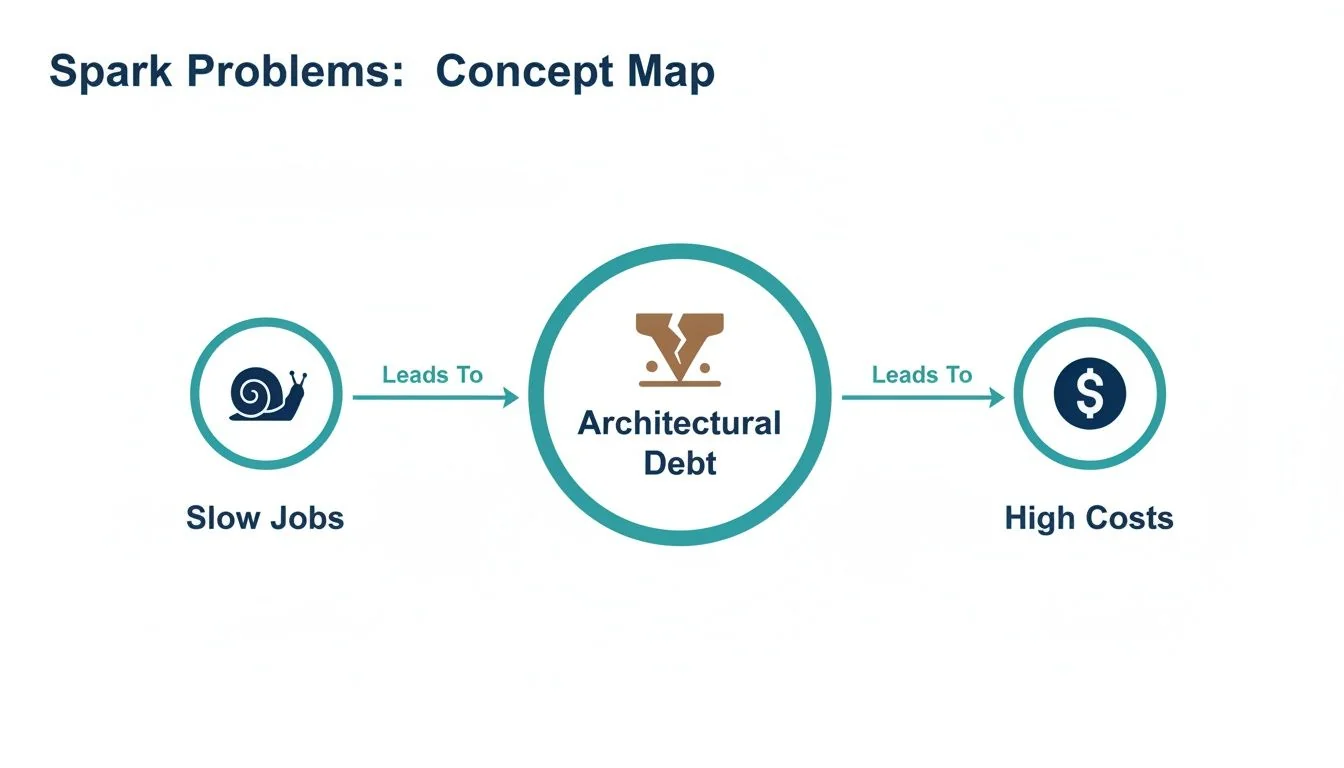
Effective optimization starts with diagnosis, not guesswork. A Spark application’s performance rests on four pillars: CPU, Memory, I/O, and Network. A bottleneck in one destabilizes the entire system. These performance issues create a vicious cycle: slow jobs lead to architectural debt, which translates directly into higher cloud costs.
Before changing a line of code, gather evidence. Your primary tools are the Spark UI and cluster monitoring dashboards like Ganglia. You are looking for clues that point to the actual bottleneck.
Any optimization effort without clear metrics is just a guessing game. The Spark UI is your command center; its event timeline, stage details, and executor statistics hold the keys to unlocking nearly every performance puzzle.
Common Spark Bottlenecks and Diagnostic Signals
This framework connects observable symptoms to their underlying root cause, enabling a targeted response.
| Bottleneck Area | Common Symptoms | Key Metrics to Check (Spark UI & Logs) | Initial Remediation Step |
|---|---|---|---|
| CPU | Cluster CPUs are pinned at 100%; jobs run slowly despite low I/O. | High Executor CPU Time vs. Task Time. Check for Python UDFs in the DAG visualization. | Refactor code to use Spark native functions instead of UDFs; simplify complex transformations. |
| Memory | Frequent, long Garbage Collection (GC) pauses reported in executor logs; OutOfMemoryError (OOM) exceptions. | GC Time metric in the Spark UI’s Executors tab. High spill to disk. | Increase executor memory, tune GC settings, or repartition data to create smaller partitions. |
| I/O | Tasks spend most of their time in the Input Size / Records phase; low CPU utilization. | High Task Deserialization Time or Shuffle Read Blocked Time. Check data source format. | Convert data from JSON/CSV to a columnar format like Parquet or ORC to enable predicate pushdown. |
| Network (Shuffle) | Massive Shuffle Read/Write data shown in the Stage details; many tasks seem to hang. | Skewed Shuffle Read Size / Records across tasks. Check the DAG for wide transformations. | Avoid groupByKey in favor of reduceByKey; apply salting techniques to correct data skew in joins. |
Using this table, you can systematically investigate the four main bottleneck areas to find concrete evidence of what is constraining your job.
The Four Suspects
-
CPU Bottlenecks: A constantly maxed-out CPU is not a sign of efficiency. It often indicates inefficient code that Spark’s Catalyst optimizer cannot optimize, such as a Python UDF performing complex logic. It can also mean transformations are too complex for the available compute.
-
Memory Bottlenecks: The most obvious signal is an
OutOfMemoryError, but the more insidious issue is long Garbage Collection (GC) pauses. If executor logs show frequent GC activity, your workers are spending more time on memory management than data processing. This is typically caused by data partitions that are too large to fit in memory or by inefficient data caching. -
I/O Bottlenecks: If a job spends most of its time reading data, the problem lies with the storage layer. Reading large text-based files like JSON or CSV is notoriously slow. Switching to a columnar format like Parquet allows Spark to read only the necessary columns and push filters down to the data source, drastically reducing I/O.
-
Network (Shuffle) Bottlenecks: The shuffle is the most expensive operation in distributed computing. If the Spark UI shows a large volume of shuffle read/write data, you’ve found a major culprit. Shuffling—the process of redistributing data across the network—is triggered by wide transformations like
groupByKeyor joins on poorly distributed keys.
Strategic Configuration Tuning That Cuts Costs
Relying on Apache Spark’s default settings is a direct path to overspending on cloud infrastructure. Those defaults are designed for broad compatibility, not for your specific workload. Strategic configuration is the primary control panel for balancing your cluster’s performance and cost.

The most impactful configurations are tied to executors—the worker processes that execute tasks. The goal is to balance executor size (memory and cores) and count to maximize parallelism without stranding resources.
Sizing Your Executors Correctly
Two common mistakes lead to poor performance: creating too many small executors or too few large ones. Small executors increase JVM management overhead. Large executors lead to long garbage collection pauses and reduced parallelism.
Instead of guessing, use this proven approach as a starting point:
- Assign Cores Per Executor: The optimal range is 4-6 cores per executor. This provides sufficient parallelism for each worker without causing I/O contention or excessive GC overhead.
- Calculate Executor Memory: Determine the memory required per core for your workload, then add 10% for overhead (JVM, Spark internal structures). For example, with 5 cores and tasks needing 4GB per core, a starting point is
(5 * 4GB) + ~2GB overhead. - Determine the Number of Executors: Divide the total available cluster cores by the cores assigned to each executor. This dictates how many workers can run concurrently.
This calculation provides a far more reliable baseline than any vendor default.
Taming the Shuffle Partition Problem
The spark.sql.shuffle.partitions setting is a notorious performance killer. It dictates the number of partitions created after a shuffle operation. Its default value of 200 is almost never optimal for production workloads.
Incorrectly setting this value is costly. Too many partitions can increase scheduling overhead by 15-25%. Too few partitions create memory bottlenecks that can consume 30-40% of your cluster’s capacity. According to DataEngineeringCompanies.com’s analysis of 86 data engineering firms, correctly tuning this single parameter can reduce job runtimes by 20-35%. You can see just how powerful this is by exploring these Spark tuning observations.
Key Takeaway: If a shuffle stage processes 1TB of data with the default 200 partitions, each task receives a 5GB partition—a recipe for memory spills. Overcorrecting to 10,000 partitions creates tiny 100MB chunks, and performance dies from scheduling overhead. The optimal number is workload-dependent and requires tuning.
While modern Spark versions include Adaptive Query Execution (AQE) to dynamically merge small partitions, it is not a substitute for proper configuration. AQE performs best when provided with a reasonable starting number. Setting a sane baseline for shuffle partitions remains a fundamental part of strategic Spark tuning.
High-Impact Code Optimizations for Engineers
A perfectly tuned cluster cannot compensate for poorly written code. The largest performance gains come from smart coding practices. For engineering leaders, this means establishing standards that guide developers toward writing code that Spark can optimize. These application performance optimization techniques should be standard practice within every Spark job.
The most critical rule: use the DataFrame and Dataset APIs and avoid low-level Resilient Distributed Datasets (RDDs). RDDs are a black box to Spark’s Catalyst Optimizer. When you use DataFrames, Catalyst understands your intent and can rearrange the execution plan for maximum efficiency. With RDDs, Spark simply executes the code as written, regardless of its inefficiency.
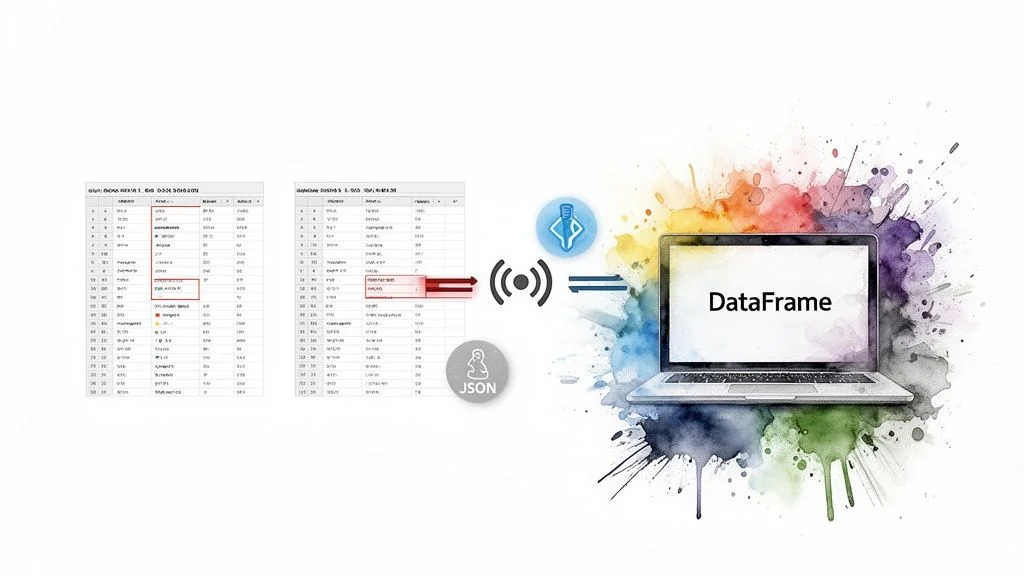
This principle extends to data storage. The choice of file format is a code-level decision with major performance implications.
Optimize Data Storage and Access
Spark’s performance is limited by its ability to read data. Two practices are non-negotiable for high-performance pipelines.
-
Use Columnar Formats: Standardize on Parquet or Delta Lake. Row-based formats like CSV or JSON are unsuitable for large-scale processing. Columnar storage enables predicate pushdown, allowing Spark to read only the columns required for a query and filter data at the source.
-
Partition Your Data: Partitioning organizes data into subdirectories based on a frequently filtered column (e.g.,
date,country). This enables partition pruning, where Spark’s engine skips entire directories that do not match a query’sWHEREclause. This can reduce read times from hours to minutes.
A query scanning a petabyte-scale, non-partitioned JSON dataset will always be slow and expensive. The same query against a partitioned Parquet dataset might only need to read a few gigabytes. This is not a minor tweak; it is a fundamental architectural decision.
Master Join Strategy Optimization
Joins are a primary cause of network shuffles that can cripple a cluster. Controlling the join strategy is crucial.
-
Shuffle Sort-Merge Join: Spark’s default for joining large tables. It shuffles and sorts both datasets across the network before merging. It is reliable but heavy on network and disk I/O.
-
Broadcast Hash Join: The optimal strategy when one table is small enough to fit in each executor’s memory (configurable, default is around 100MB). Spark broadcasts a copy of the small table to every node, enabling the join to occur locally without shuffling the large table.
You must explicitly tell Spark to use a broadcast join via a hint: broadcast(small_df). For join-heavy pipelines, this is often the single most effective code-level optimization.
How Spark’s Internal Optimizers Think for You
High-performance Spark code is written to leverage its internal optimizers. Your code is a high-level suggestion that two engines—the Catalyst Optimizer and Adaptive Query Execution (AQE)—deconstruct and rebuild for maximum efficiency.
Using the DataFrame API is critical because it is the language Catalyst understands. When you submit DataFrame code, Catalyst translates your logic, applies hundreds of optimization rules, and generates the most efficient physical execution plan.
Think of Catalyst as a grandmaster chess player. Your DataFrame code is the opening move. Catalyst calculates dozens of possibilities and chooses the sequence that leads to the fastest result. Handing it raw RDDs is like blindfolding the grandmaster; it can only follow the rigid path you’ve dictated.
Catalyst Plans, AQE Adapts
Catalyst plans execution before a job runs. Adaptive Query Execution (AQE) makes adjustments during execution, reacting to the unpredictable nature of real-world data.
AQE’s key runtime optimizations include:
- Dynamically Coalescing Partitions: AQE automatically merges small, inefficient shuffle partitions into larger, more optimal chunks, reducing scheduling overhead.
- Switching Join Strategies: If AQE observes at runtime that one side of a planned sort-merge join is small enough for broadcast, it will switch to the faster broadcast hash join on the fly.
- Optimizing Skewed Joins: AQE detects data skew where one partition is significantly larger than others. It splits the oversized partition into smaller pieces, distributing the work evenly and preventing a single task from bottlenecking the entire stage.
These optimizers are powerful but not magic. They perform best when working with well-structured data and clean code. Modern table formats like Databricks Delta Lake provide the statistics and structure that Catalyst and AQE thrive on. Your role as a leader is to ensure your teams build systems that work with these optimizers, not against them.
When to Engage a Data Engineering Consultancy
There is a point where internal optimization efforts hit a ceiling. When your best engineers are perpetually firefighting the same jobs instead of building new capabilities, or when cloud costs continue to rise despite tuning efforts, it is time to bring in specialists.
Engaging a data engineering consultancy is a strategic decision, not an admission of failure. It acknowledges that deep system optimization is a specialized discipline requiring experience across hundreds of workloads and platforms like Databricks or AWS EMR.
Vetting Potential Partners for Spark Expertise
A DataEngineeringCompanies.com analysis of 86 data engineering firms revealed that top-tier partners possess deep expertise in both the Spark framework and the underlying platform architecture. They move beyond code-level fixes to address systemic issues.
A great consultant doesn’t just tune your job; they diagnose the systemic platform issues that are causing the poor performance in the first place. They should leave you with not just a faster job, but a playbook to stop these problems from happening again.
When evaluating potential partners, ask targeted questions to verify their real-world experience. Our guide on selecting a Databricks consulting partner provides a deeper look into this vetting process.
Evaluation Checklist for Spark Optimization Partners
Use this checklist during discovery calls to identify true experts.
- Benchmarking Methodology: “Describe your process for benchmarking our current Spark jobs. What specific metrics do you use to establish a baseline before beginning optimization?”
- Large-Scale Tuning Experience: “Describe a time you optimized a terabyte-scale Spark job. What was the root bottleneck, what steps did you take, and what were the measurable improvements in runtime and cost?”
- Cost Optimization Track Record: “How do you connect performance tuning directly to cloud cost savings? Share a case study where you reduced a client’s Databricks or EMR bill by over 20% through optimization alone.”
- Tooling and Diagnostics: “What diagnostic tools do you use beyond the Spark UI? How do you analyze executor logs and JVM garbage collection issues at scale?”
Frequently Asked Questions About Spark Optimization
Certain questions arise consistently on teams working with Spark. Here are direct answers to some of the most common inquiries from engineering leaders and developers.
What Is the First Thing to Check for a Slow Spark Job?
Always start with the Stages tab in the Spark UI. This is your primary diagnostic dashboard. Look for stages with long runtimes, high volumes of shuffle read/write data, or significant task skew (where a few tasks take much longer than others). This screen will quickly indicate whether you have an I/O, network shuffle, or compute-bound problem.
How Does Adaptive Query Execution Change Tuning?
Adaptive Query Execution (AQE) acts as an automated tuning assistant, handling tasks like merging small shuffle partitions and mitigating data skew in joins at runtime. This reduces the need for manual tuning of parameters like spark.sql.shuffle.partitions. However, AQE cannot fix fundamental architectural flaws. If your source data is poorly partitioned, your code is inefficient, or your cluster is incorrectly sized, AQE can only provide marginal improvements.
When Should I Use a UDF in Spark?
A User-Defined Function (UDF) should be your last resort. Use one only when the required logic is not available as a built-in Spark function. Python UDFs are performance killers because they break Spark’s ability to optimize the end-to-end query plan. They incur significant overhead from data serialization between the JVM and a Python process. Using Spark’s native functions is almost always the more performant choice.
Finding the right expertise to solve these persistent Spark issues is crucial. At DataEngineeringCompanies.com, we provide data-driven rankings and evaluation tools to help you select a vetted data engineering consultancy with proven experience in large-scale Apache Spark optimization. Find your ideal partner today by visiting https://dataengineeringcompanies.com.
Data-driven market researcher with 20+ years in market research and 10+ years helping software agencies and IT organizations make evidence-based decisions. Former market research analyst at Aviva Investors and Credit Suisse.
Previously: Aviva Investors · Credit Suisse · Brainhub · 100Signals
Top Data Engineering Partners
Vetted experts who can help you implement what you just read.
Related Analysis
The Engineering Leader's Guide to Supply Chain Data Platforms
Explore expert supply chain data engineering strategies for resilient pipelines, modern architecture, and data platform selection for Snowflake and Databricks.
Data Contracts in Data Engineering: A Guide for Engineering Leaders
Explore data contracts in data engineering to enforce agreements, prevent pipeline failures, and boost data reliability across Snowflake and Databricks.
A Data Lineage Tools Comparison Framework for Engineering Leaders
Cut through the noise with this data lineage tools comparison. Evaluate top vendors on architecture, integration, and pricing for your modern data platform.